
A lightweight NAS management UI written in Go — built for Linux and FreeBSD,
designed to stay as close to a vanilla system as possible.
No container runtime. No database. No Node.js. Just a
single compiled binary, some Ansible playbooks, and a handful of static files.
Where dumpstore manages a service, it owns the config completely — rendered from a template, never patched.
features
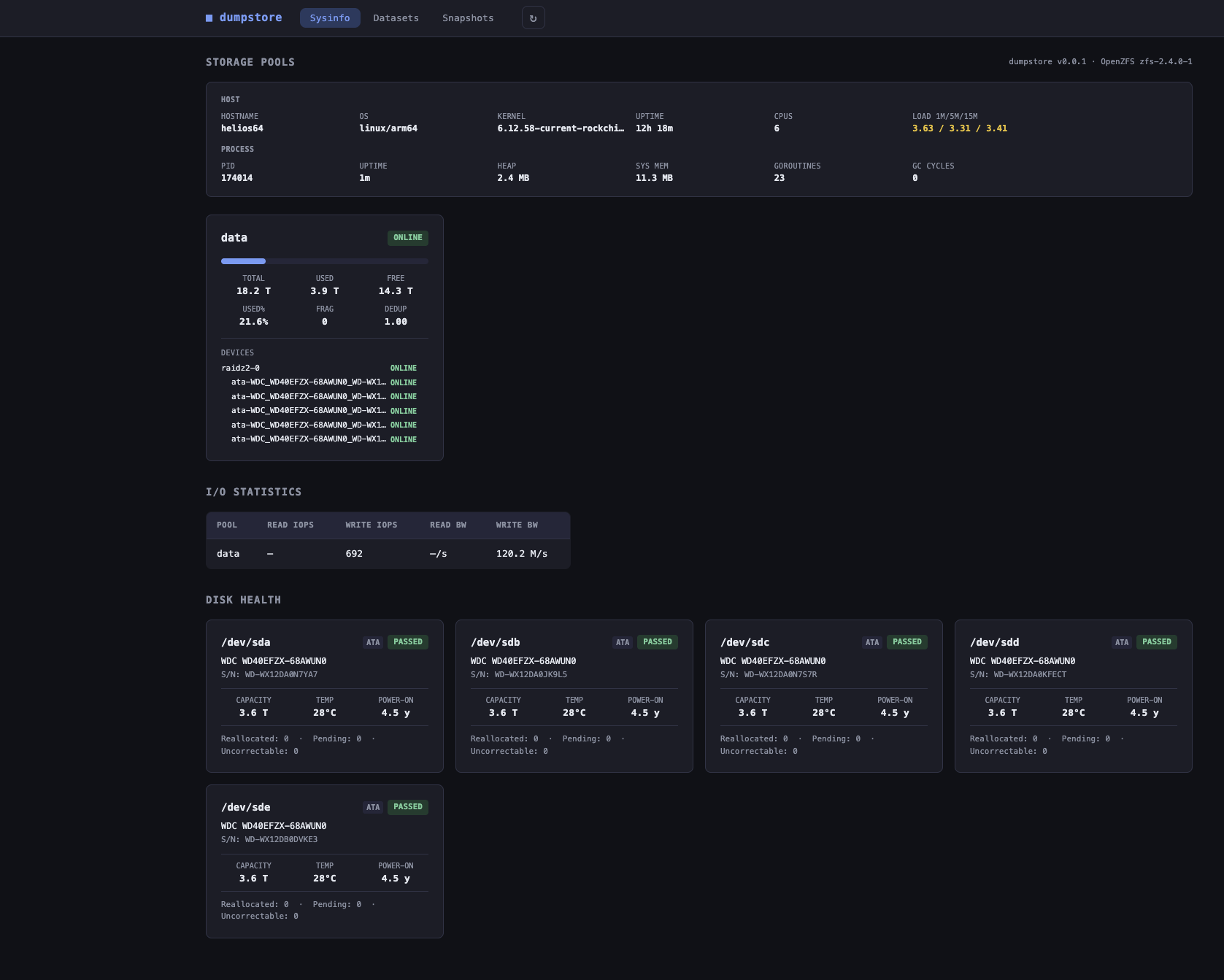
Health badges, usage bars, fragmentation, dedup ratio, and the full vdev tree per pool.
Create pools with a structured topology picker (mirror, raidz1-3, draid) and unused-device picker. Import exported pools (with force option). Export pools safely from the pool card.
Add data vdevs (with irreversibility warning), L2ARC cache, SLOG log (optionally mirrored), and hot spares. Remove cache/log/spare devices from the vdev tree.
Trigger and cancel pool scrubs. Last scrub time, status, and progress shown per pool.
Replace a (faulted) device straight from the vdev tree with a picker of unused disks. Offline/online devices for maintenance. Resilver progress bar with live percentage and completion notification.
Read/write IOPS and bandwidth per pool — pushed via Server-Sent Events every 10 s. Falls back to REST polling.
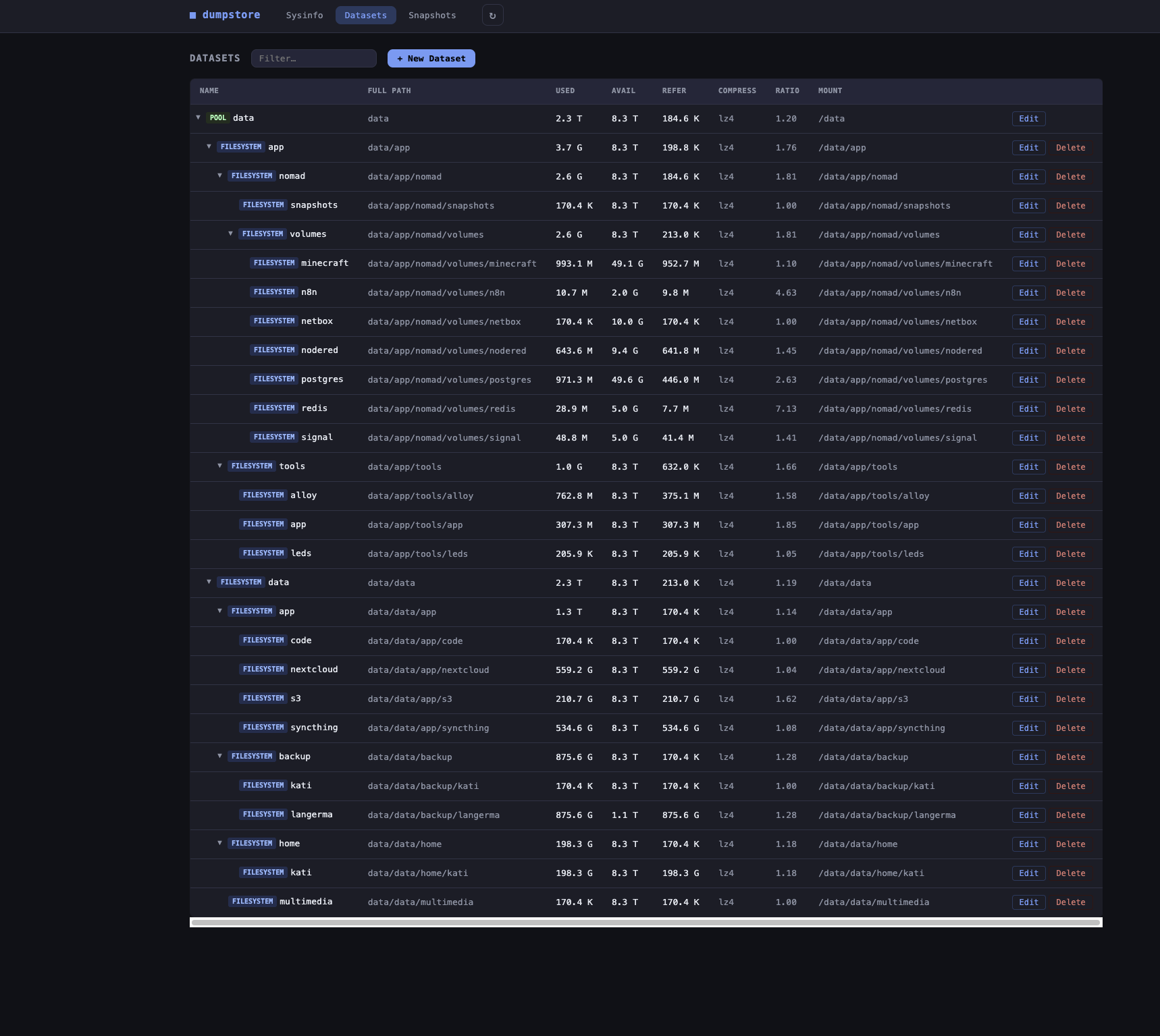
Per-pool sections with health and capacity, collapsible depth-indented tree, usage bars, and status chips. Click any row for a slide-in detail drawer: inline property editing, sharing, permissions, snapshots, and a separated danger zone.
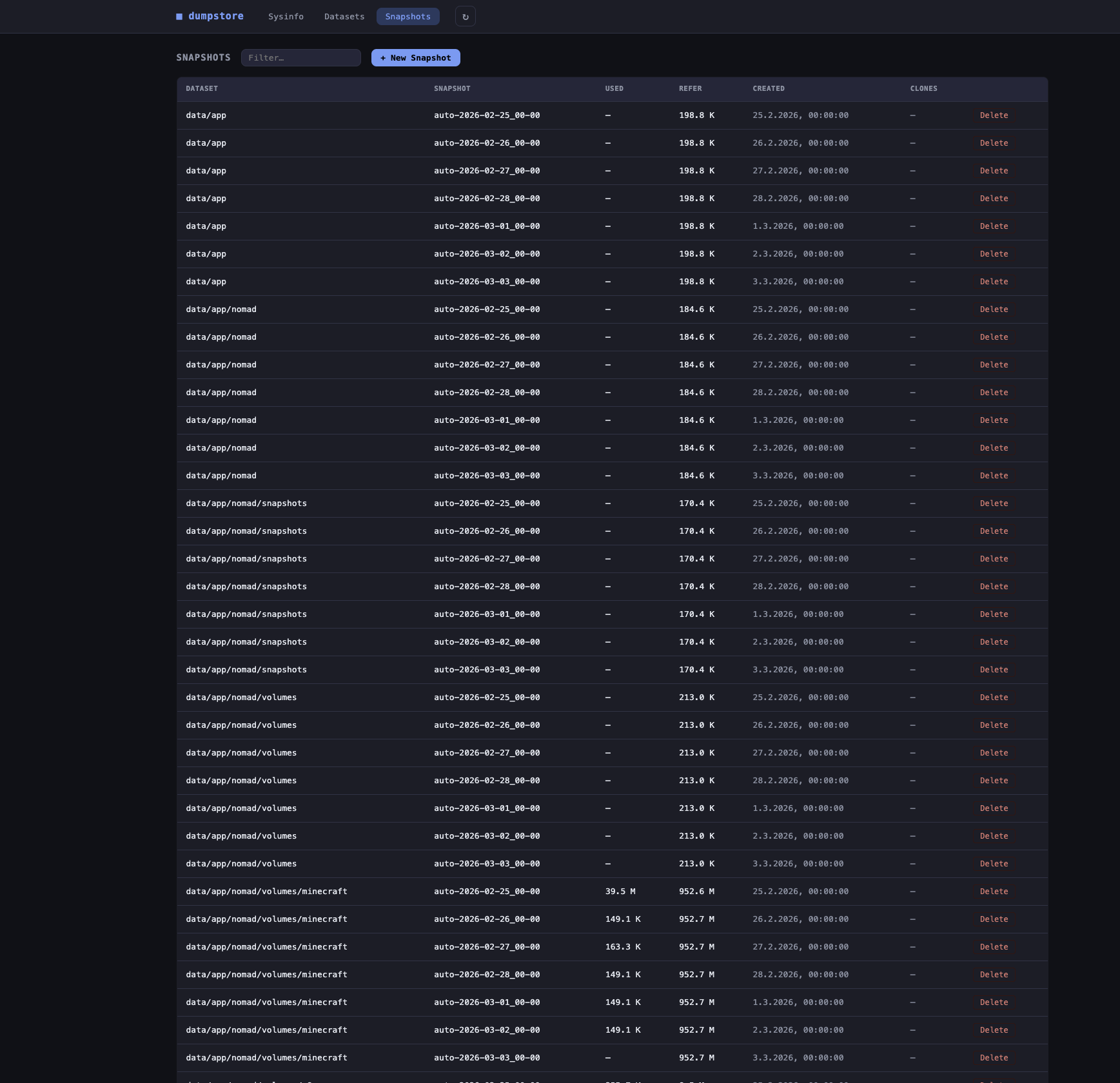
Grouped into collapsible per-dataset sections with count, total size, and newest-age summaries. Relative ages per row, per-group bulk select with batch delete, create (with recursive option) — all with styled confirm dialogs.
Per-user and per-group space consumption (zfs userspace / zfs groupspace) with inline quota set/remove.
See what changed between a snapshot and a later snapshot or the live filesystem. Color-coded change types (added / removed / modified / renamed) with a path filter.
Apply updated properties (compression, checksum, copies) to data that is already on disk. Recurse, skip snapshot-shared, and skip clone-shared options. Runs as a background job in the Jobs tab.
Rename a dataset or volume in place. Same-parent constraint enforced — only the leaf name changes, the pool and parent path stay fixed. Backed by an Ansible playbook with full op-log feedback.
Create a new writable dataset from any existing snapshot. Pick the source snapshot and enter a name for the clone — the clone appears immediately in the dataset browser as an independent filesystem.
Replicate a snapshot to another local pool or to a remote host over SSH. Dispatched as a background job — the dialog returns immediately and the transfer is tracked in the Jobs tab with live status, runtime, output tails, and a cancel button. Optional incremental send picks a prior snapshot of the same dataset (-i); --raw preserves encryption. SSH keys must be pre-configured for the dumpstore service account; remote sends use BatchMode=yes so missing keys fail fast instead of hanging.
Cron-scheduled replication tasks (5-field syntax, 1-minute resolution) for any dataset → dataset path, local or remote. Each fire snapshots the source as dumpstore-repl-<UTC>, places a hold for the duration of the transfer, picks the most recent common dumpstore-repl-* for an incremental send, dispatches the pipeline via the jobs runner, releases the hold, and prunes destination replication snapshots to a configurable retention count. A separate Replication tab lists tasks; runs surface in the Jobs tab tagged replication.run / replication.prune; a "Run now" button fires off-schedule.
Long-running data-plane operations (currently snapshot send/receive) run outside Ansible via the jobs manager. Each job runs in its own process group; cancel sends SIGTERM and escalates to SIGKILL after a 10 s grace. Status, runtime, exit code, and the last 64 KiB of stdout/stderr are surfaced in the Jobs tab. Records are persisted to disk so status survives a service restart — any job that was running at shutdown is rewritten as interrupted.
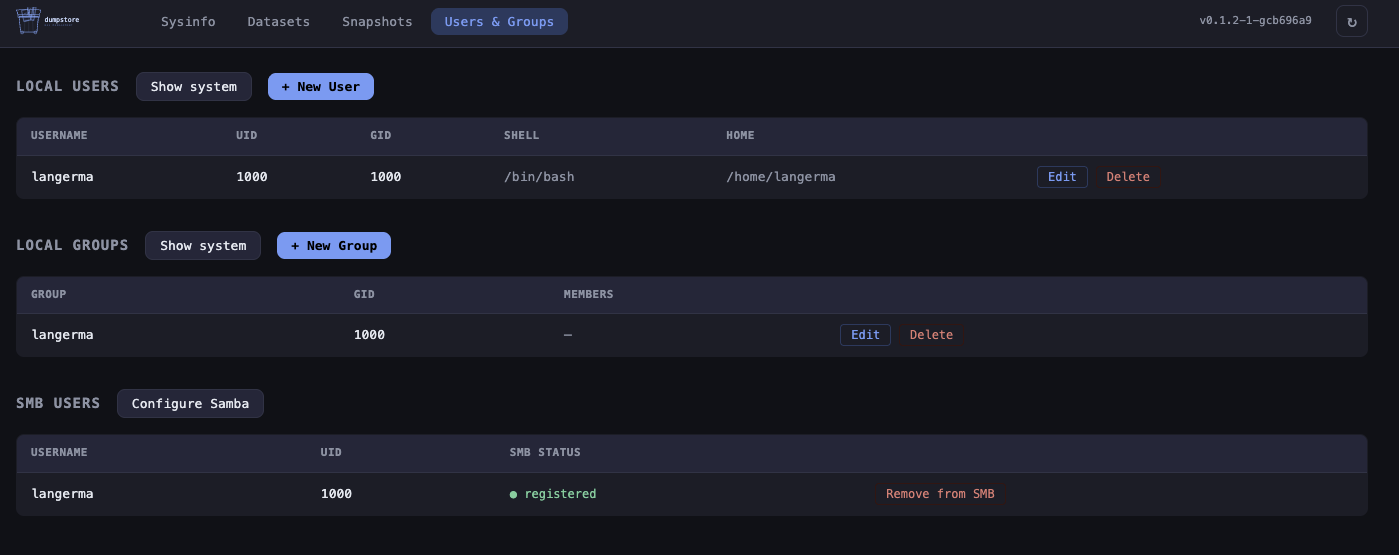
Create, edit (shell, password, groups, home directory, SSH authorized keys, Samba password sync), and delete local users. System accounts (uid < 1000) hidden by default — toggle to reveal.
Create, edit (name, GID, members), and delete local groups. System groups hidden by default with the same toggle.
View, add, and remove POSIX and NFSv4 ACL entries per dataset. One-click acltype enable. Recursive apply.
Enable, configure, and disable NFS sharing per dataset via the ZFS sharenfs property. Cross-platform (Linux & FreeBSD).
Samba usershares per dataset. Manage Samba users. dumpstore takes full ownership of smb.conf — rendered from a template on every write. All sub-features gated behind one-time initialisation; directories created automatically on apply.
Enable the Samba [homes] section so each authenticated user gets a personal share mapped to a subdirectory. Pick a ZFS dataset as base path or specify a custom path. Base directory created automatically on apply.
Create Samba shares configured as macOS Time Machine backup targets using vfs_fruit. Multiple named shares each backed by a different ZFS dataset. Configurable max size quota and valid users; target directory created automatically on apply.
Manage com.sun:auto-snapshot* ZFS properties per dataset. dumpstore runs the bucket snapshots itself via the built-in 5-field cron scheduler — no zfs-auto-snapshot or zfstools daemon required. Inheritance honoured correctly on FreeBSD (fixes the upstream zfstools bug). One-click takeover/release for hosts where the OS daemon is still active. Button state updates live via SSE (autosnapshot.query, autosnap.status).
Expose ZFS volumes as iSCSI targets. Per-zvol dialog with auto-generated IQN (editable), portal IP/port, auth mode (None or CHAP with credentials), and initiator ACL list. Backed by targetcli/LIO on Linux and ctld on FreeBSD.
Start, stop, restart, enable, and disable Samba, NFS, and iSCSI from the Services tab. Live status badges update via SSE every 10 s. Mutations go through Ansible playbooks with full op-log display. Stopping NFS surfaces a client-disconnect warning.
Enable HTTPS with --tls. Generate a self-signed ECDSA-P256 certificate via the UI (openssl, via Ansible), load an existing cert from disk (Let's Encrypt, Certbot, acme.sh), or issue and renew automatically via lego (ACME / Let's Encrypt). HTTP redirects to HTTPS automatically. Cert status card shows CN, SANs, and expiry countdown.
Temperature, power-on hours, reallocated sectors, pending sectors, and uncorrectable errors per drive.
Hostname, OS, kernel, CPU, uptime, load averages, and process stats. The software inventory distinguishes required tools (ZFS, Ansible, Python) from optional ones, names the feature each optional tool unlocks, and flags a missing required tool with a red badge. Platform warnings surface common misconfigurations (e.g. FreeBSD: ZFS kernel module not loaded).
Read-only overview of all network interfaces: state (up/down), MAC, MTU, IPv4/IPv6 addresses, link speed, and RX/TX byte counters. Virtual and loopback interfaces are shown but muted.
View and set the owner and group of a dataset's mountpoint directly from the dataset browser. Backed by an Ansible playbook with full op-log feedback.
Go runtime, HTTP request counters & latency histograms, and Ansible playbook run metrics out of the box.
Set OTEL_EXPORTER_OTLP_ENDPOINT and dumpstore pushes traces (per-request spans, Ansible/ops child spans, background job/replication/autosnap spans), logs with trace_id correlation, and Go runtime metrics to any OTLP collector. No-op without the env var.
Every request gets a unique req_id that appears on all log lines for that request — errors, warnings, and the access log line — so you can reconstruct the full lifecycle of any concurrent request. Reads X-Request-ID from upstream proxies (nginx, Traefik) and echoes it back on the response.
Every mutating operation (dataset, snapshot, user, group, ACL, SMB, iSCSI, scrub) emits a structured slog audit line with remote_ip, action (e.g. dataset.create), target resource, and outcome (ok/err). The req_id is included automatically, linking the audit entry to the full request log.
Session-based login with a argon2id-hashed password stored in /etc/dumpstore/dumpstore.conf (Linux) / /usr/local/etc/dumpstore/dumpstore.conf (FreeBSD). Set up during install via --set-password. Per-IP rate limiting (10 attempts/60 s). Reverse proxy delegation via X-Remote-User from trusted CIDRs. No password configured? The service binds to loopback only until one is set. Change password or username any time from the Users & Groups tab.
planned
Load/unload keys, show encryption status per dataset, support keyformat and keylocation.
Tail dumpstore logs, the system journal, and ZFS events directly from the UI.
why this exists
I run a Kobol Helios64 as my home NAS — a five-bay ARM board that deserves better than the software ecosystem currently offers it. The existing storage UIs I tried were either too heavy, too opinionated about the underlying distribution, or simply unmaintained. None of them gave me a clean, no-nonsense window into my ZFS pools without pulling in a container runtime, a database, or a Node.js server alongside them.
What I wanted was simple: observe and manage my storage from a browser, on a machine that stays as close to a vanilla Linux or FreeBSD installation as possible. No agents, no daemons-within-daemons, no frameworks that outlive their welcome. Just a single compiled binary, some Ansible playbooks, and a handful of static files with a lightweight reactive store for efficient UI updates.
Where dumpstore does manage a service — Samba, NFS, iSCSI — it takes full, explicit ownership of that service's config file. The config is rendered from a template on every write; no block-patching, no partial edits. If you need to run those services alongside another management tool, dumpstore is not the right fit for that service.
If you run a Helios64, an old server, or any ZFS box where you care about what is actually installed on it, this might be the tool for you.
screenshots
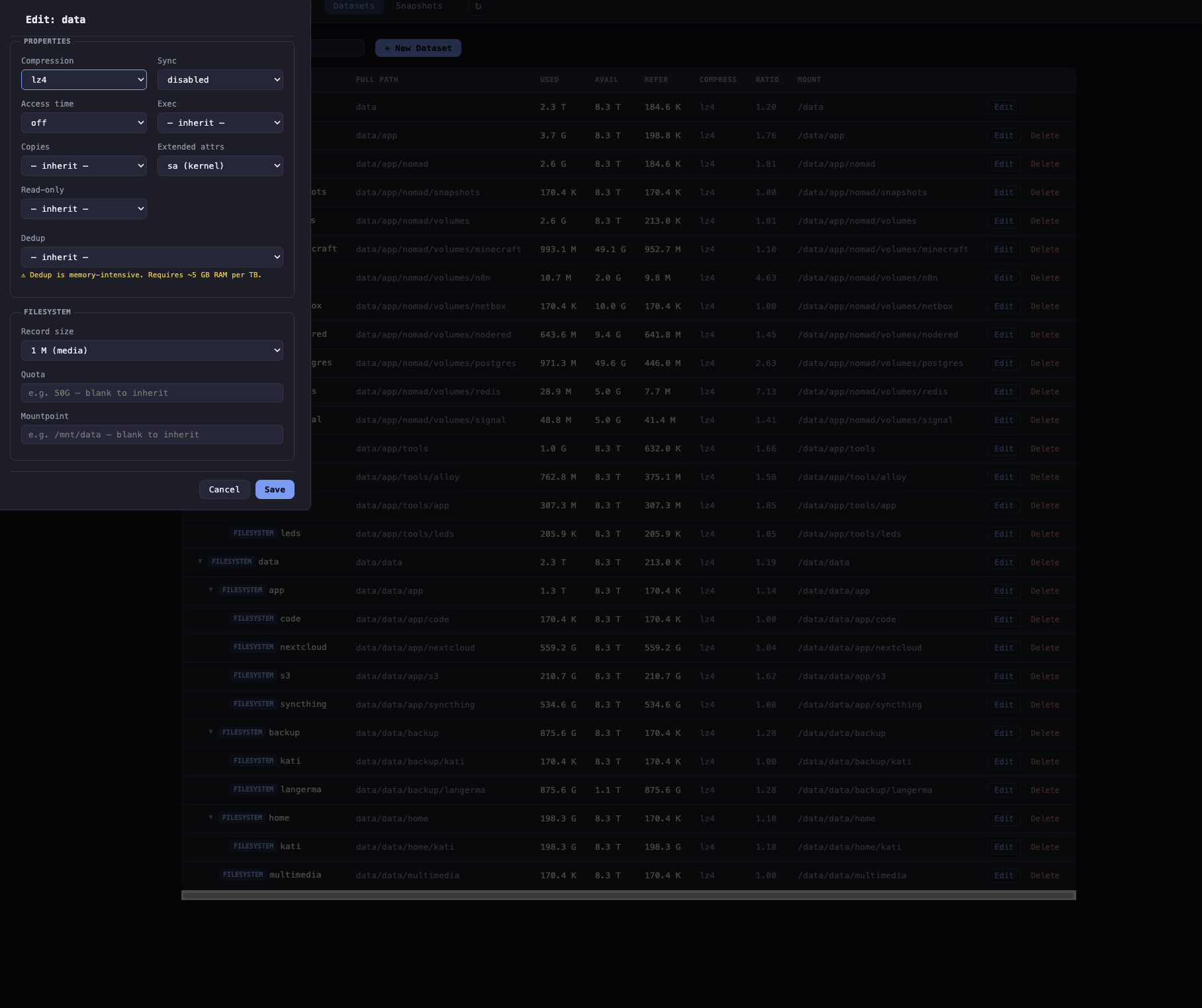
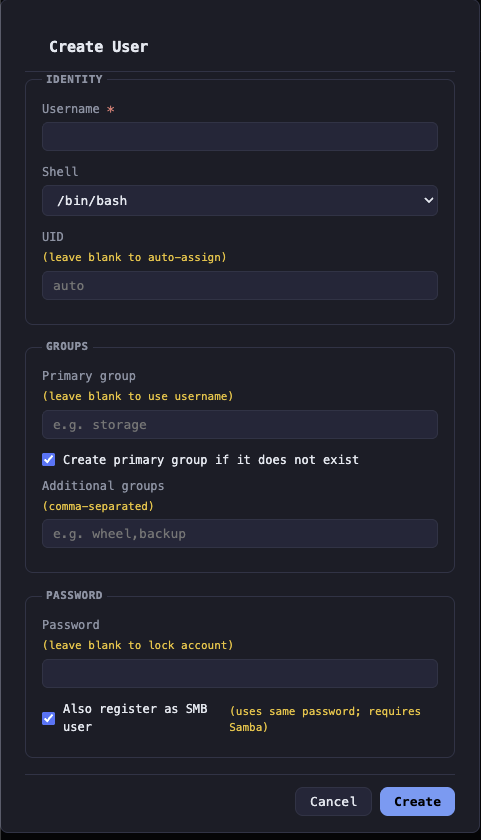
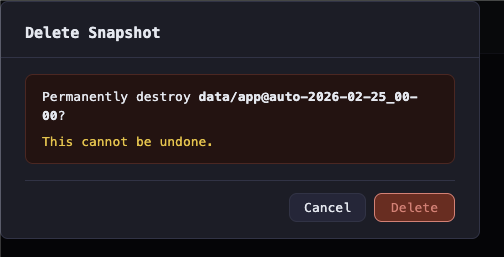
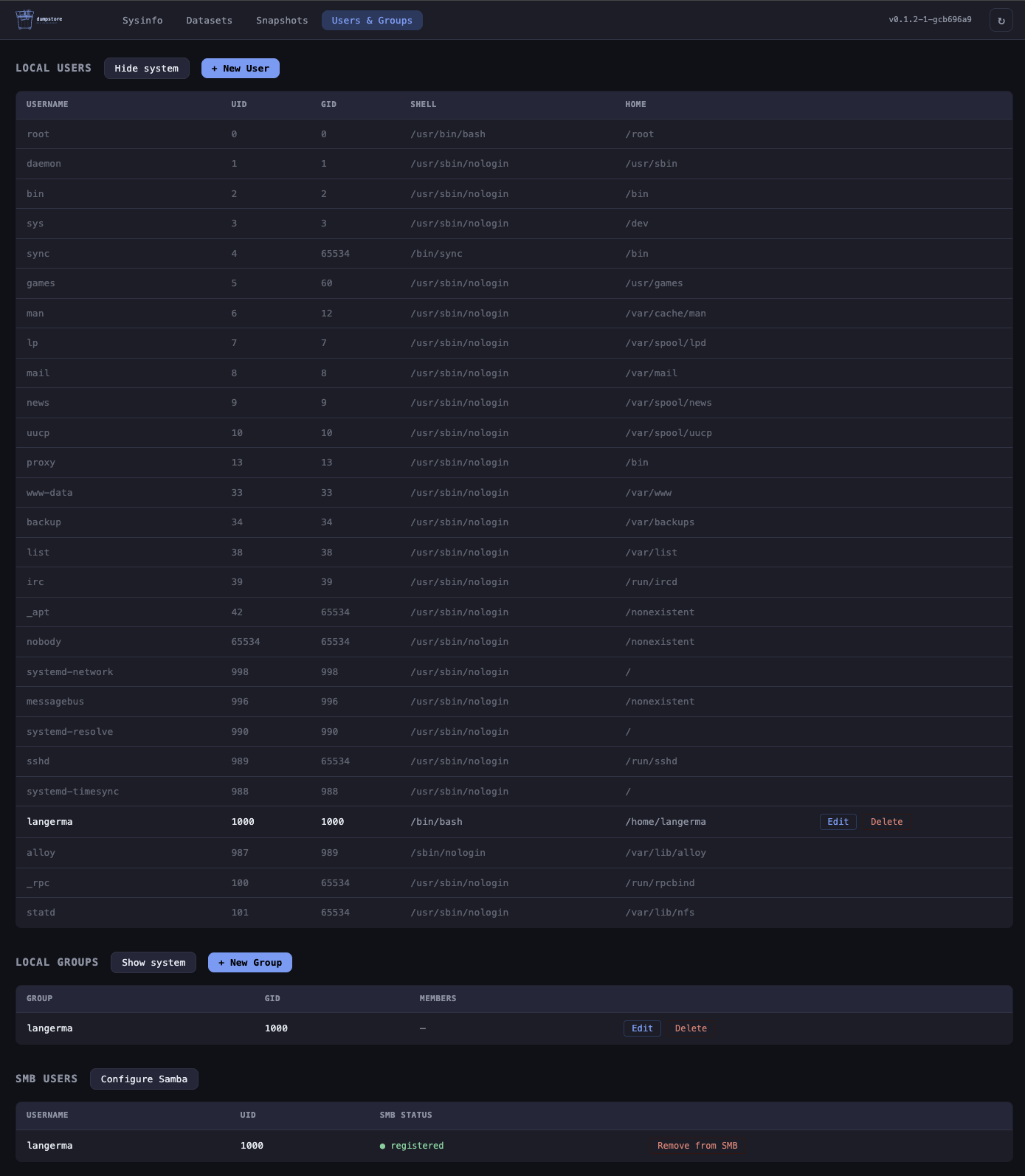
install
clone and install
git clone https://github.com/langerma/dumpstore.git
cd dumpstore
sudo ./install.sh
Thin wrapper around make install. Auto-installs Go and Ansible
if absent, compiles the binary, copies everything to
/usr/local/lib/dumpstore/, prompts for an admin password,
then registers and starts the service —
systemd on Linux, rc.d on FreeBSD.
open the UI
http://localhost:8080
Sign in with the password you set during install. Change it any time from the Authentication section in the Users & Groups tab.
uninstall
sudo ./install.sh --uninstall
run without installing
go build -o dumpstore .
sudo ./dumpstore -addr :8080 -dir .
-dir must point to the directory containing playbooks/
and static/. Defaults to the directory of the executable.
requirements
| dependency | Linux | FreeBSD |
|---|---|---|
| Build | Go 1.22+ | Go 1.22+ |
| ZFS | zfsutils-linux | built-in |
| Ansible | ansible (Python 3) | py311-ansible |
| S.M.A.R.T.optional | smartmontools | smartmontools pkg |
| POSIX ACLsoptional | acl | py311-pylibacl |
| NFSv4 ACLsoptional | nfs4-acl-tools | nfs4-acl-tools port |
| NFS sharingoptional | nfs-kernel-server / nfs-utils | built-in base system |
| SMB sharingoptional | samba | samba pkg |
| iSCSI targetsoptional | targetcli-fb | built-in ctld |
security
dumpstore has built-in session-based authentication. A argon2id-hashed password is set during install and stored in
/etc/dumpstore/dumpstore.conf (Linux) / /usr/local/etc/dumpstore/dumpstore.conf (FreeBSD). If no password is configured the service binds to 127.0.0.1 only.
dumpstore runs as root (required for ZFS). See SECURITY.md
for notes on TLS and the recommended deployment topology.